How to Optimize Auto Captions for Global and Multilingual Audiences

As video content becomes more popular, people all over the world want to watch and understand videos, even if they don’t speak the same language. Auto captions, which automatically create subtitles for videos, help in making your content more accessible to a broader audience.
However, auto captions are not perfect, especially when used for different languages. In this blog, we’ll look at how to make auto captions more accurate for global and multilingual audiences so that your content reaches everyone.
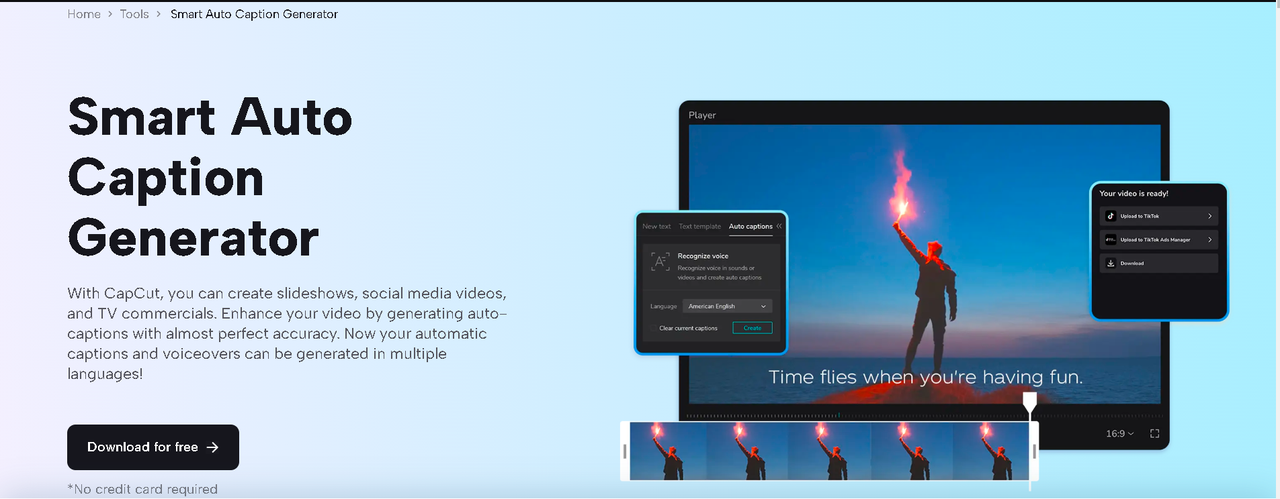
How to Add Auto Captions to Your Videos
Before understanding how to optimize auto captions, first, you need to learn about adding auto captions to your videos using the CapCut desktop video editor.
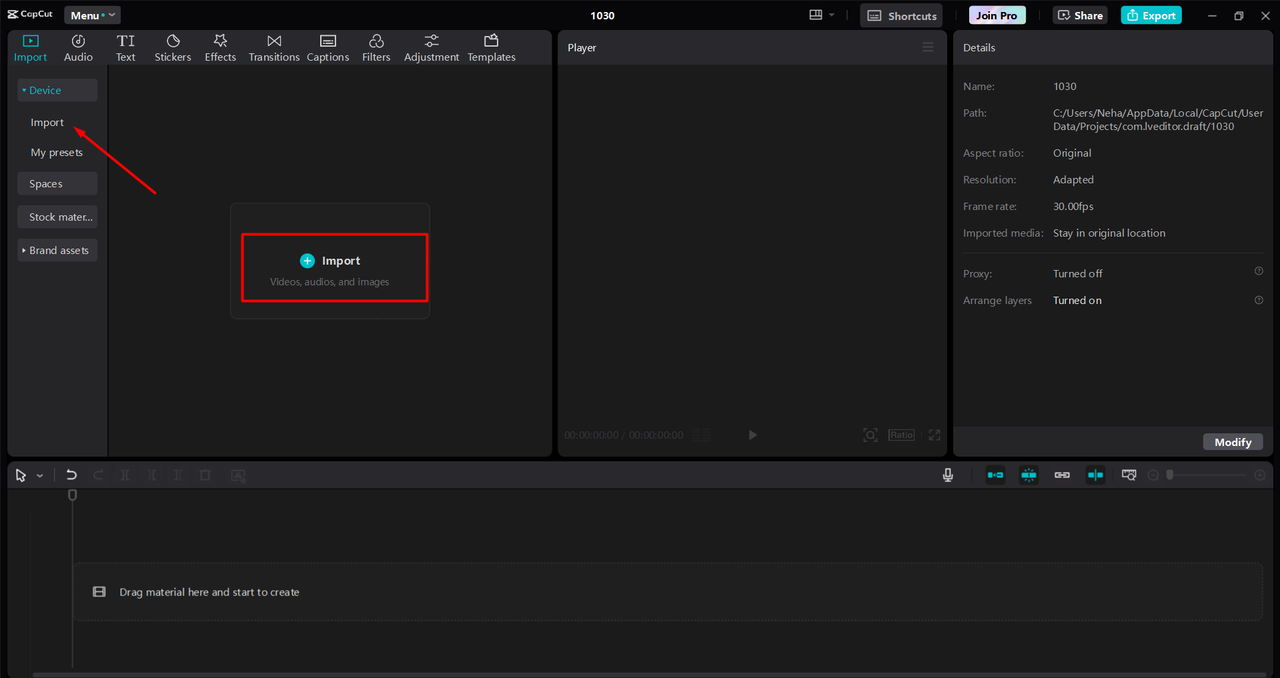
Step 1: Upload Video
Begin by launching the application and importing your video by going to New Project > Import. Then, drag and drop your video to the editing timeline.
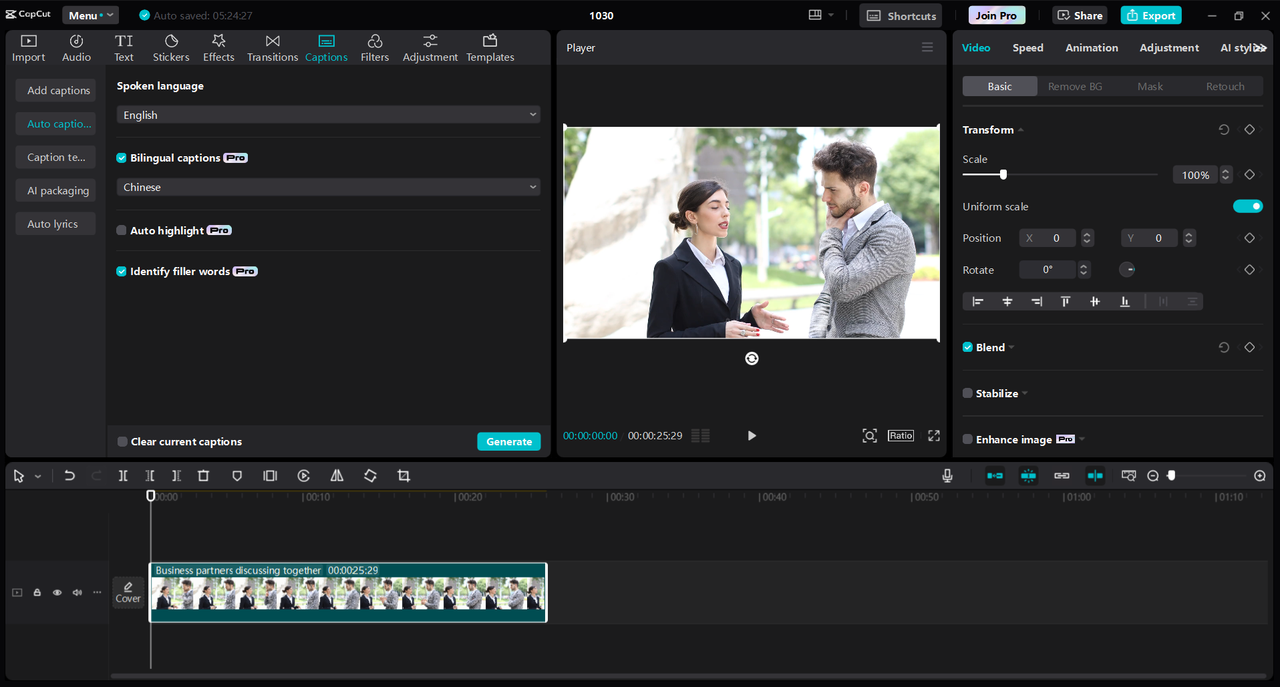
Step 2: Add Auto Captions
Select Captions > Auto Captions > Spoken Language after adding your video to the editing timeline. In this manner, the CapCut desktop video editor will automatically transform all of your spoken words into text after analyzing your audio. Additionally, you can recognize and eliminate filler words from your captions. Plus, you can also make your videos visually appealing and attractive by using background remover to remove the distracting background and adding a new one like solid white or anything related to your video.
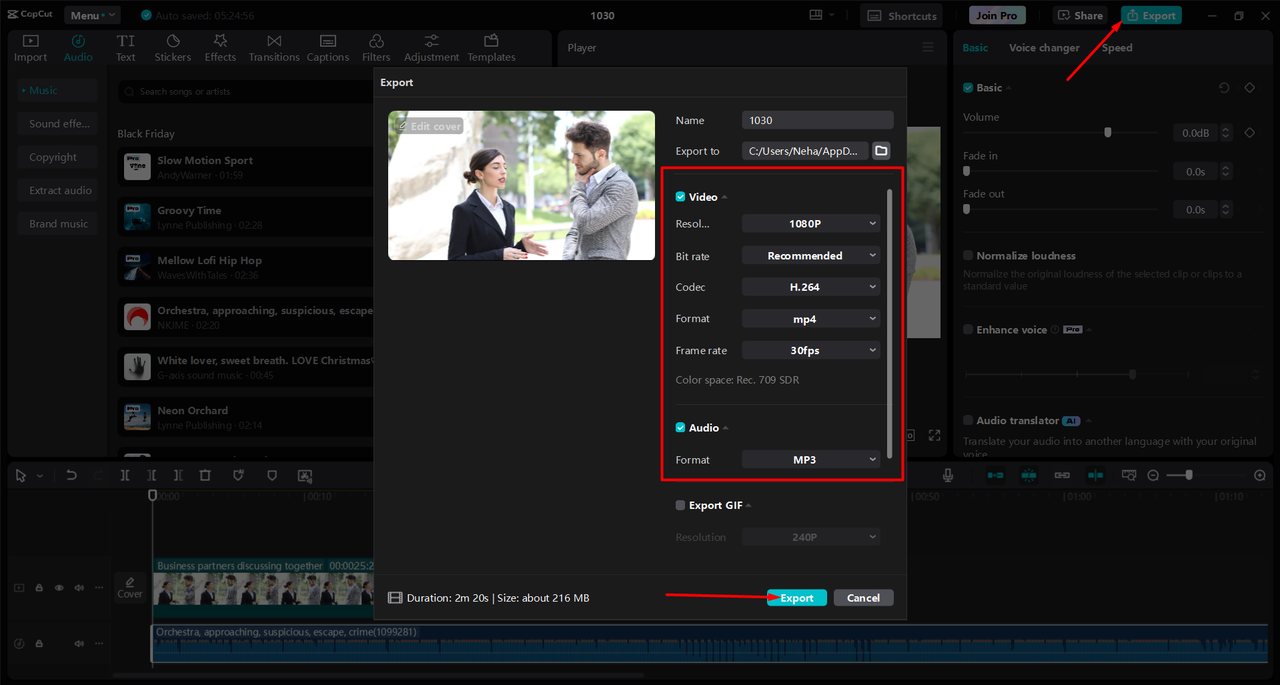
Step 3: Export and Share
After adding captions to your videos, now click on the “Export” button. You can also adjust the settings according to your preferences and then again click on the “Export” button.
Why Optimizing Auto Captions Matters
Auto captions are valuable for two main reasons: accessibility and reach.
-
Accessibility
Auto captions make videos easier to understand for people who have hearing challenges. They also help people who may be watching videos in a noisy place and cannot hear the audio clearly. When captions are available in different languages, more people can enjoy the content.
-
Reaching a Global Audience
By creating captions in various languages, you can reach people in different countries and cultures. More people will watch and understand your video if it’s in a language they know.
-
SEO Benefits
Optimizing captions in multiple languages also helps improve your video’s visibility in search engines. When your video is in multiple languages, it’s more likely to show up in search results around the world.
Challenges with Standard Auto Captions
While auto captions can be helpful, they often have some limitations, especially when used for multiple languages. Here are a few common issues:
-
Language Accuracy
Auto captions don’t always translate words correctly. At times, they chop off a segment of a particular word or fail to understand accented speech provided that the words spoken sound similar. It can lead to captions that are misleading or wrong.
-
Cultural Nuances
Every language has its own unique phrases and expressions. Auto captions might not pick up on these cultural differences, which can make some translations awkward or even incorrect.
-
Platform Limitations
Not all video platforms handle captions the same way. For example, YouTube allows you to add captions in multiple languages, but TikTok and Instagram may have limited options for multi-language captions. To make your captions more reliable, you need to know how to work around these limitations. Let’s look at some ways to improve auto captions for a global audience.
Steps to Optimize Auto Captions for a Global Audience
Optimizing auto captions requires a few important steps. Here are the main ones to help you get started.
-
Choose the Right Platforms and Tools
Not all platforms are equally good at creating auto captions for different languages. YouTube is one of the best for multilingual captions, as it allows you to add captions in several languages. Some good video editors for PCs, like the CapCut desktop video editor, offer captioning services that allow you to translate and edit captions easily. Consider trying out different platforms and tools to see which one works best for your needs. Make sure the tool supports the languages you want to add and allows you to edit captions manually for better accuracy.
-
Review and Edit Captions for Accuracy
Auto captions can be a great starting point, but they often require some modification. After creating auto captions, verify them for errors. This is especially critical for technical terminology, names, and idioms that may not be accurately translated by software. If possible, have someone fluent in the target language read the captions. This ensures that the translation accurately conveys the intended meaning and sounds natural to native speakers.
-
Test for Readability and Clarity
After editing your captions, test them for readability. Make sure that they are clear and easy to follow. Avoid complex words or sentences that may confuse viewers. It’s also a good idea to show the captions to native speakers or even run a small test with viewers who speak the language. Check if the text appears at the right time and stays long enough on the screen for people to read comfortably. Adjust timing if needed to make sure captions align with the speaker’s voice.
Auto Captions: always choose the right tools
Optimizing auto captions for a global audience doesn’t have to be difficult. By choosing the right tools, reviewing for accuracy, using AI-powered options, and focusing on readability, you can make your content accessible and engaging for people everywhere. Not only does this increase your reach, but it also shows respect and inclusivity for diverse cultures and languages. Remember, the world is full of potential viewers waiting to find your content, so take the time to make it accessible in the languages they speak. Start today, and watch your audience grow!


Leave a Reply